Overview
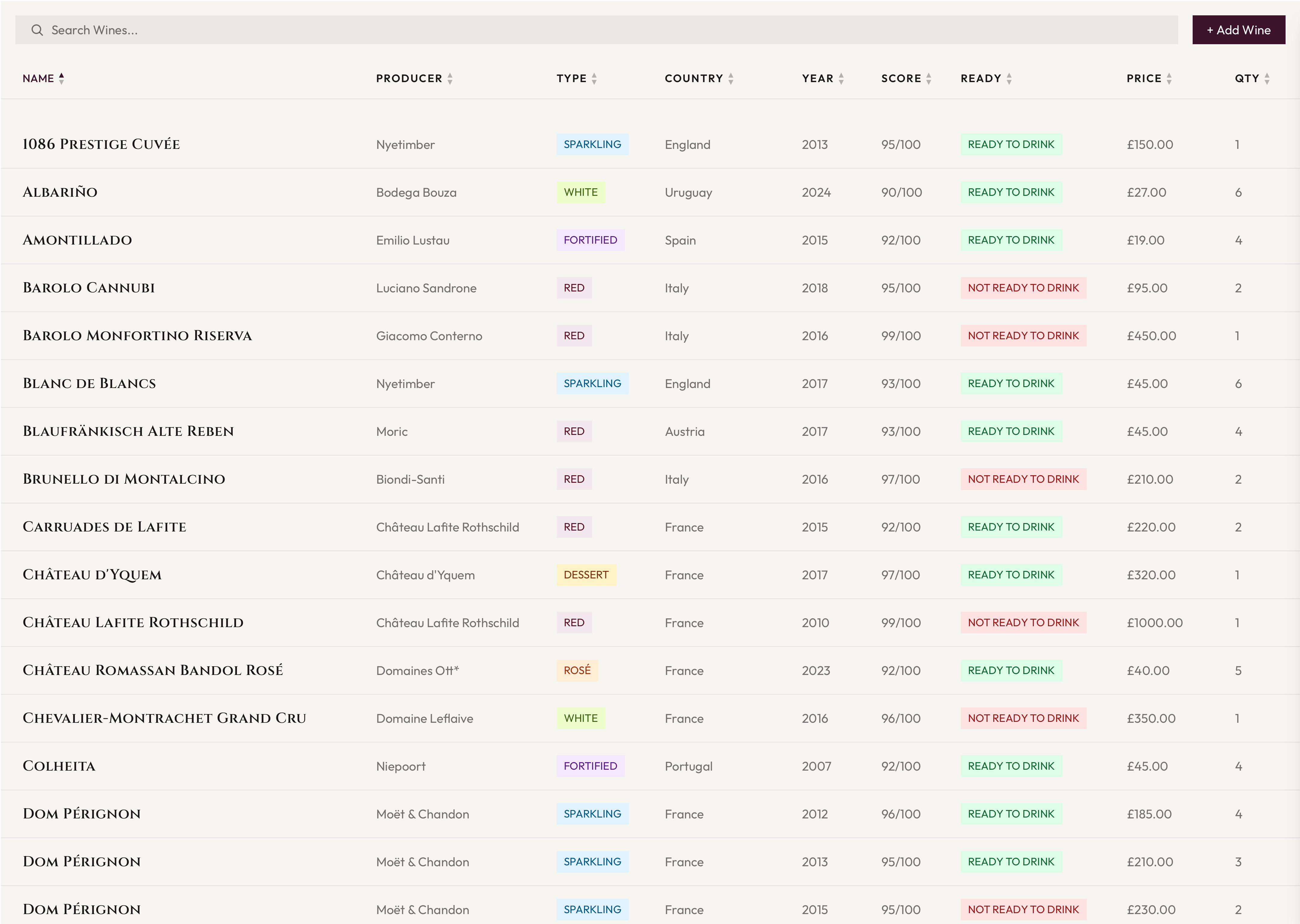
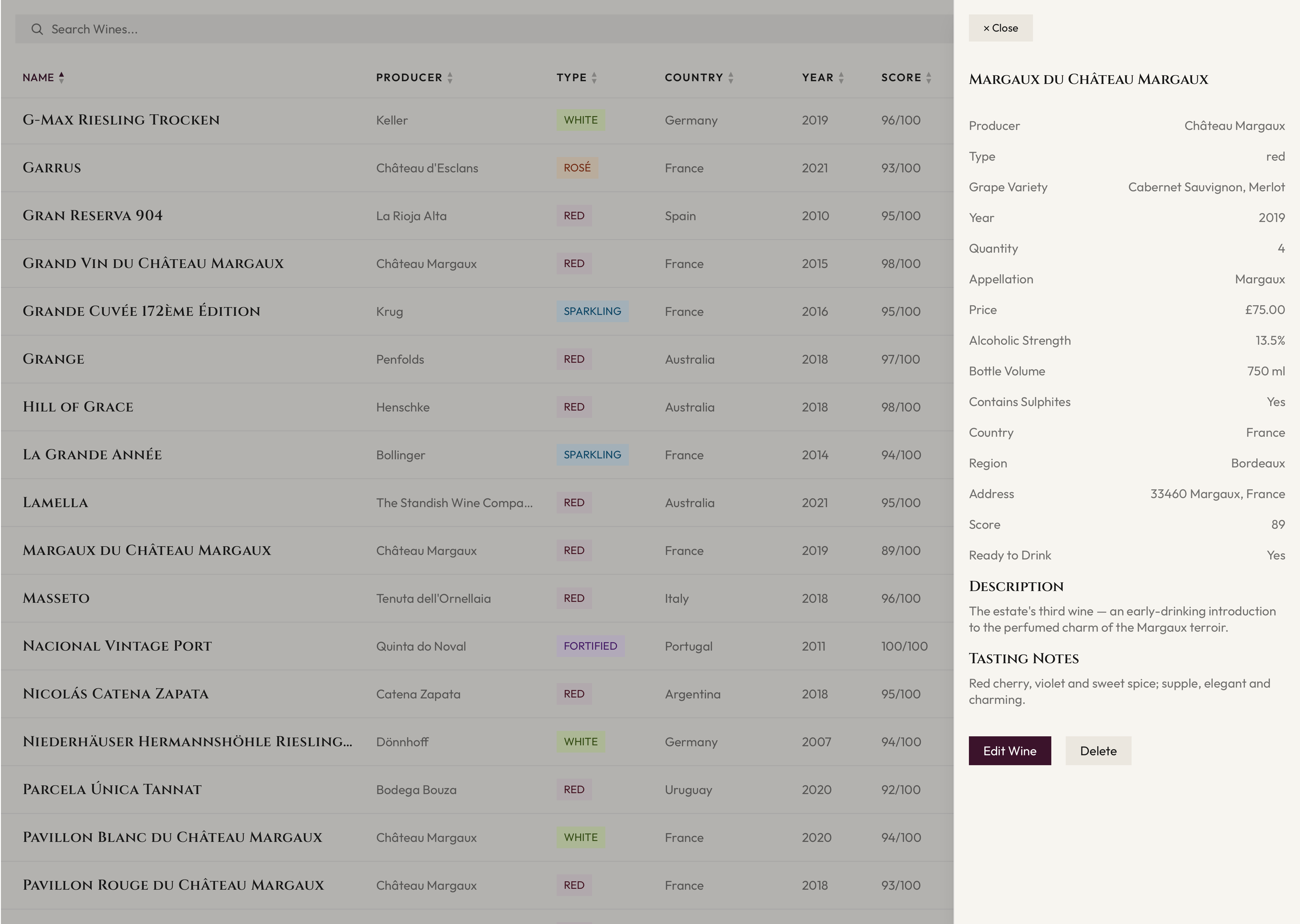
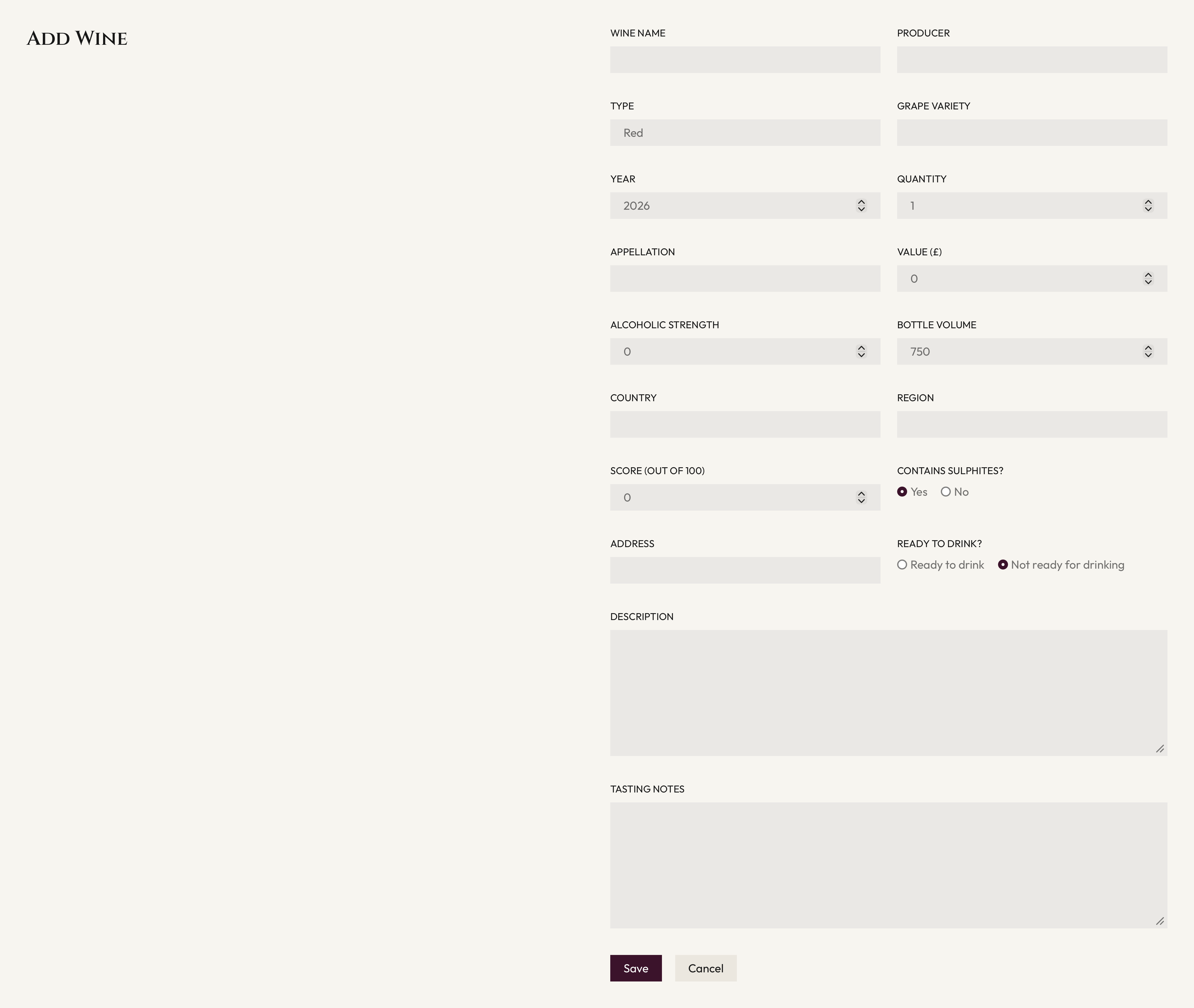
Cella is a responsive wine-cellar management application I built to practise frontend engineering in a realistic product. It lets users catalogue a collection, search and sort wines, open a detailed record, and add or edit entries with information such as region, grape variety, score and drinking window.
Approach
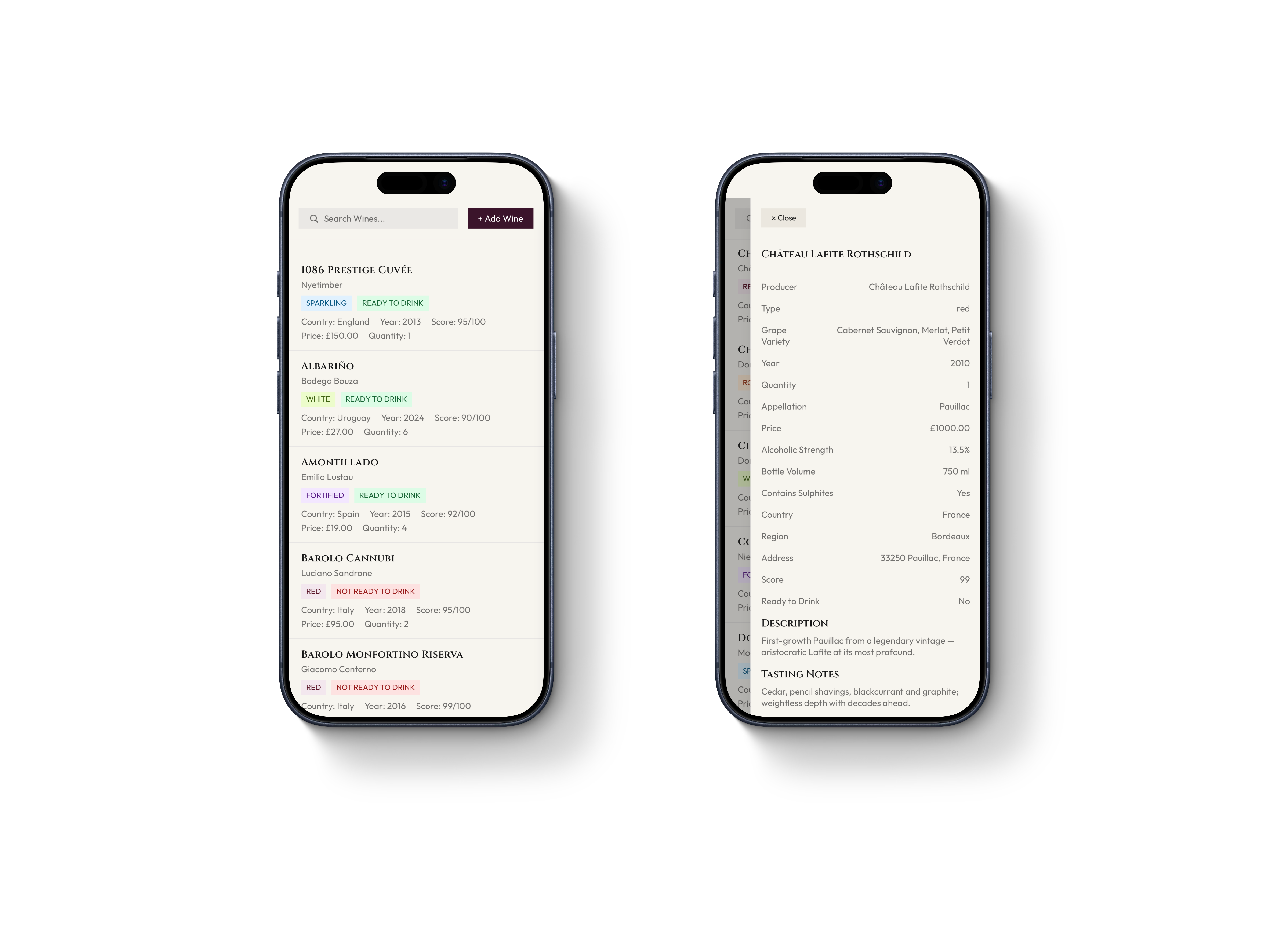
I used Next.js with the App Router, React and TypeScript. The dashboard is the single source of truth for the wine collection and UI state, while focused components handle search, sortable headers, wine cards, the details panel and the add/edit form. The layout adapts from a desktop table to tablet and mobile card views.
Data and interaction
The project uses a typed data model and a small data-access layer that separates the interface from persistence. Wines are seeded initially, then saved in the browser with localStorage. Search and sorting are derived from the current state, and the data layer can later be replaced with an API without changing the components that present the information.
What it demonstrates
Cella shows how I approach a complete interface: clear information hierarchy, responsive UI decisions, reusable components, controlled forms, state management and TypeScript types that make the product safer to change. I used Tailwind CSS and a small set of design tokens to keep the visual system consistent.
View the live demo View the source on GitHub