Overview
Cella is a responsive dashboard for managing a personal wine cellar. Users can catalogue their collection, search and sort it, open a detailed profile for any bottle, and add, edit or delete wines. I designed and built it to demonstrate my React and Next.js skills in a complete, working product, from the data model through to the responsive interface.
Planning & Wireframes
Cella grew out of a personal interest. I'm not a wine expert, but I was given The World Atlas of Wine by Hugh Johnson and Jancis Robinson as a present, and I drew the app's data points from it, including grape varieties, appellations and countries. I spent around two days planning before writing any code, starting with the data rather than the screens. I mapped the fields a collector actually cares about, from producer, vintage and grape variety to appellation, alcoholic strength and tasting notes, and grouped them into primary, secondary and tertiary information so the interface could lead with the essentials and keep the detail one step away.
I then scoped a first version around a single loop of browsing the cellar, opening a wine, and editing or deleting it, with adding a wine feeding back into the list. Ideas like label scanning, external wine lookups, CSV import and multi-device sync went on a "later" list, and I broke the screens down into a component list covering layout, header, search, list, card and aside before drawing anything in detail. The seeded cellar reflects the same research, with 57 wines from 12 countries, from Château Margaux and Romanée-Conti to Nyetimber and Royal Tokaji, so the interface is designed around realistic, varied data rather than placeholder text.
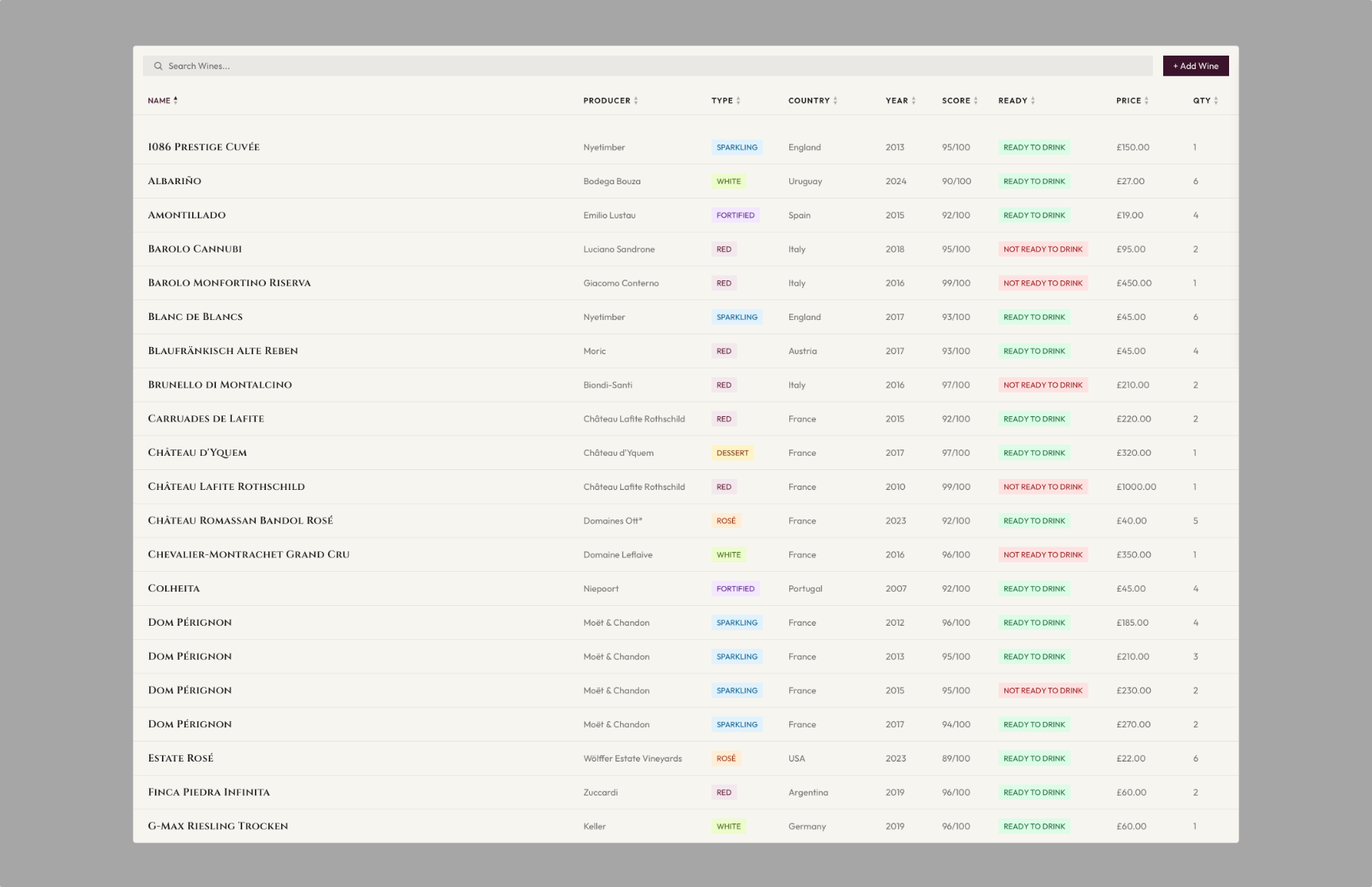
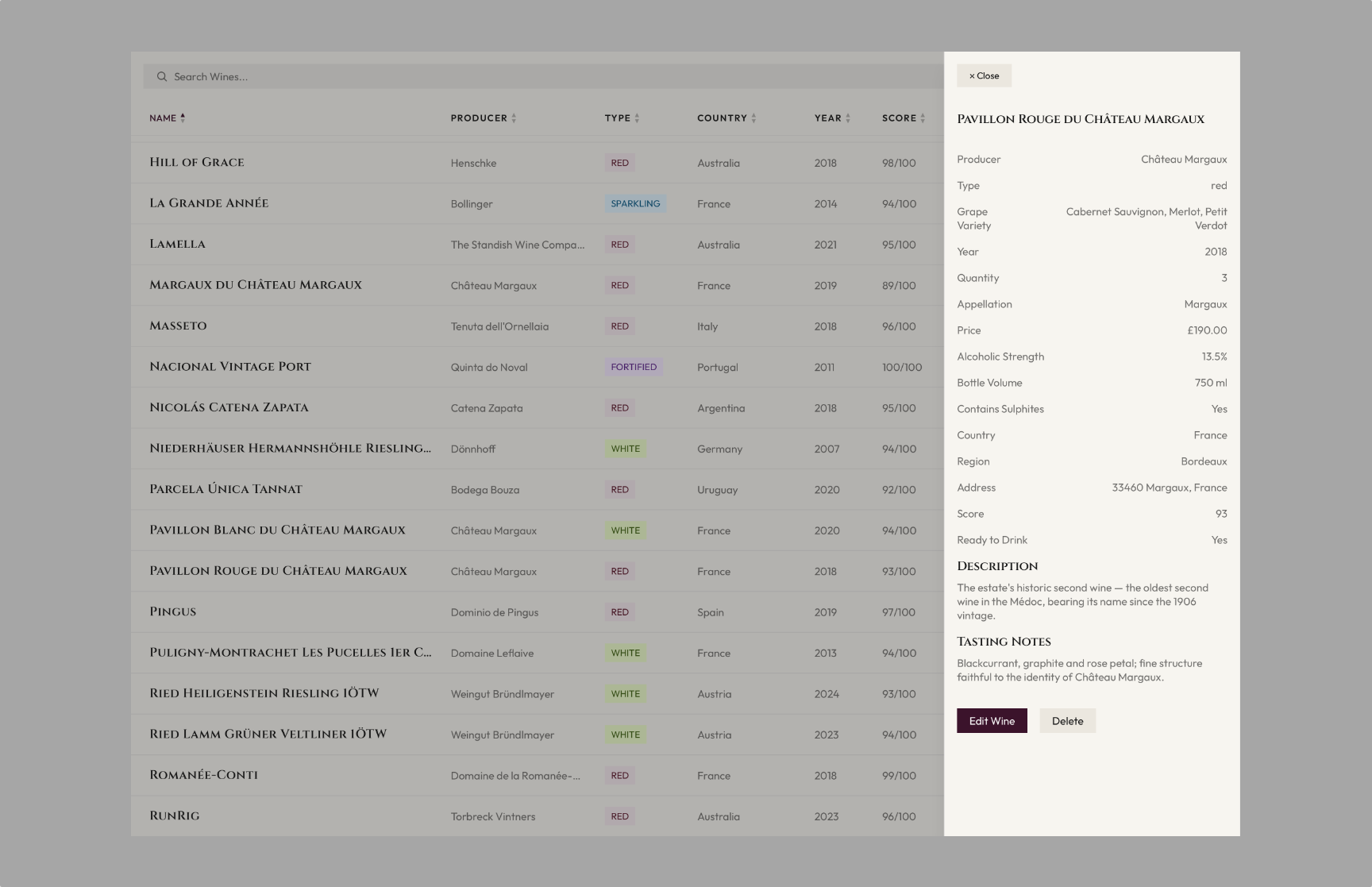
The wireframes were a starting point rather than a spec. My first dashboard had a row of filter buttons and a stats column, and the wine detail view had a Drink button for taking a bottle out of the cellar. Once I started designing the real thing, the filters felt like overkill and took up too much space, so search and sortable columns replaced them. The Drink button felt out of place, so quantity is edited in the form instead. Wine cards already take up a fair amount of room, and stats felt like a nice-to-have rather than essential, so the column planned for them became the wine detail panel. Stats are on my list for version 2.
Approach
I took the wireframes into Paper for the visual design, partly to test its agentic features working against a live codebase, then carried the visual system into Tailwind CSS as design tokens. The typefaces and palette draw on the world of wine, with Cinzel headings, burgundy buttons and colour-coded badges that distinguish each type of wine. The app is built with Next.js (App Router), React and TypeScript. A Server Component loads the starting collection and passes it to a client-side dashboard, which owns search, sorting and the slide-in detail panel.
Data & Interaction
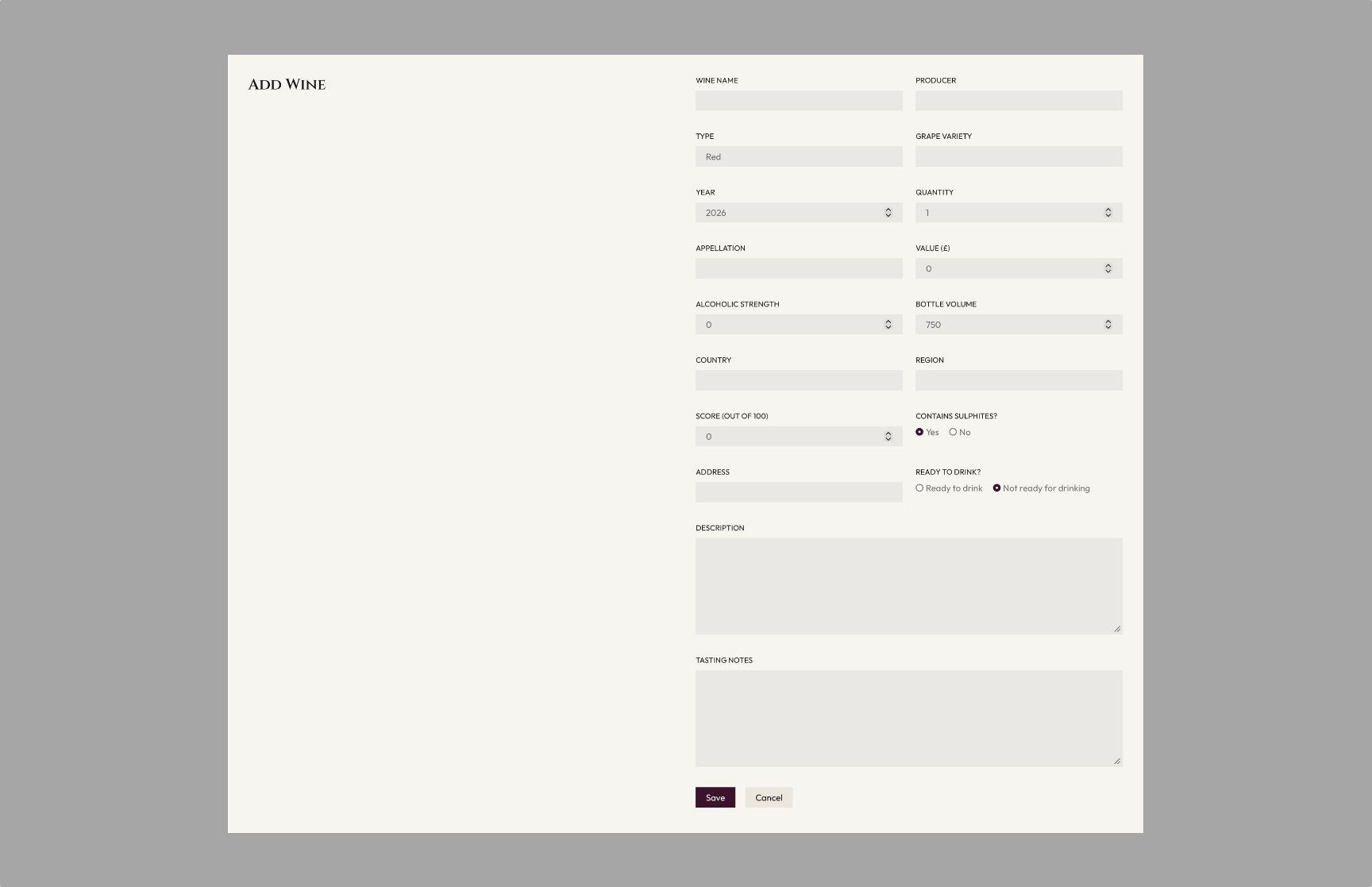
My first plan was a WordPress backend, with the form fields modelled on ACF custom fields. I settled on localStorage instead because it's a fast way to persist data in the browser without relying on another service, an approach inspired by how apps like Notion keep state on the device. The trickiest part was persistence. Cella starts with a seeded collection, then saves the user's own wines to localStorage. Because localStorage doesn't exist on the server, the dashboard renders the seed first and loads saved data after mount, which avoids a hydration mismatch. It also waits for that load before saving, so the seed can never overwrite a user's cellar. All reads and writes go through one data-access module, so an API can replace localStorage later without changing the UI.
Responsive Design & Next Steps
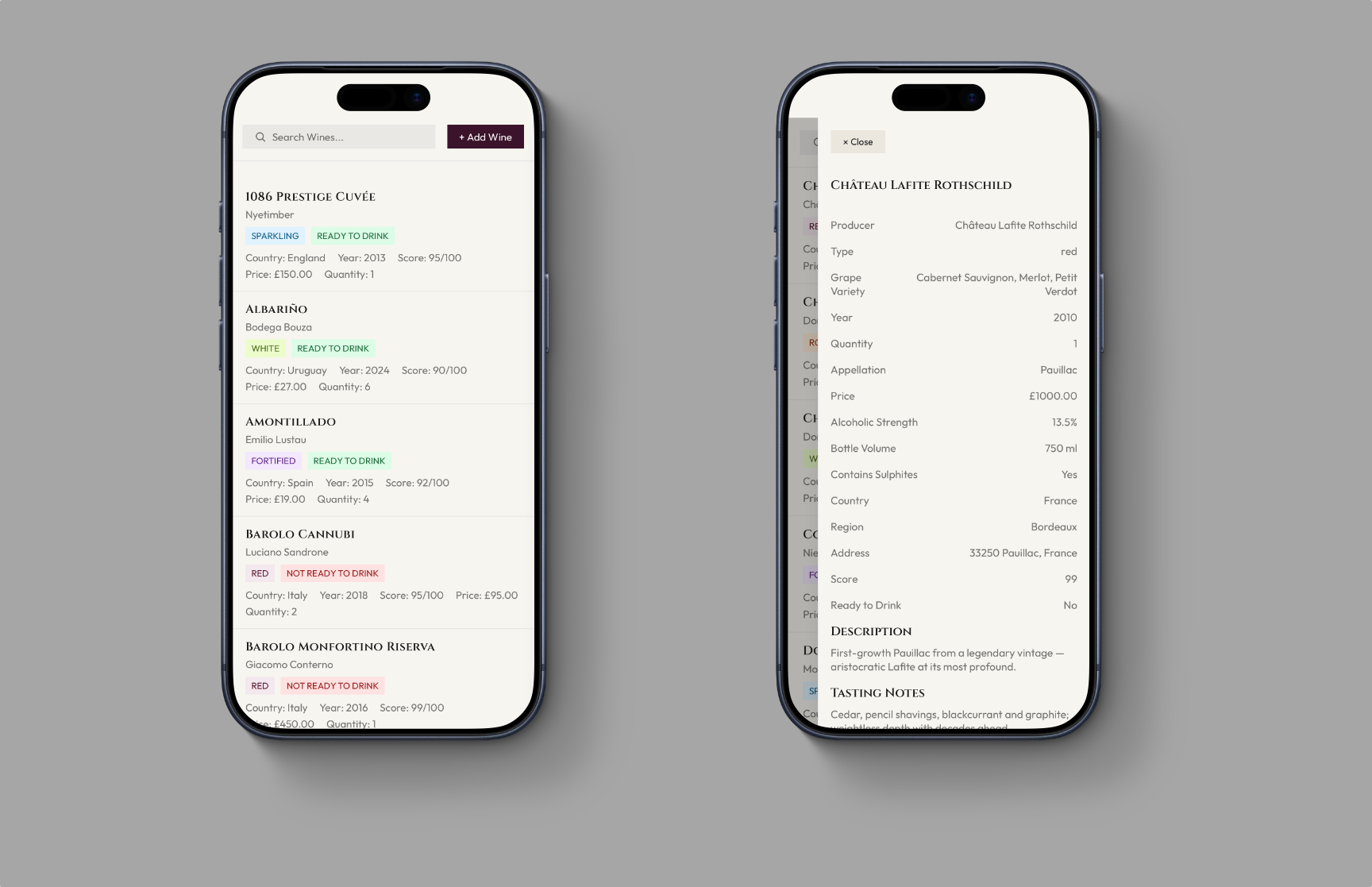
On desktop, the cellar appears as a sortable table, which becomes a compact row on tablet and a stacked card on mobile. Each row is a real button, so the cellar can be browsed by keyboard. Search covers nine fields, including grape, region and vintage, and wine types sort in the order a collector expects rather than alphabetically. Next, I plan to make search more dynamic and add wine imagery and icons.